go to 1up.com for impending info. about halo 3.
they aren't giving out much info. yet, but they did let slip that the mongoose is back and there will be a new type of grenade called the spike.
Saturday, October 28, 2006


Wednesday, October 18, 2006
schools ban tag
this topic is way off my regular routine, but it's just so ridiculous that I can't resist. some schools in the US are banning tag and other "contact sports" during recess. although this story makes me shake my head, I've seen this sort of logic applied to university students - more about that in a second.
first of all, calling tag a "contact sport" is enough to show the lack of logic in these bans. the people responsible say that they have made these decisions in the name of safety. I used to work with young children, and I used to lifeguard. no matter what you do, kids will still fall down and get bumps and bruises. the plain truth is that kids get hurt - they get hurt a lot. BTW - when I was growing up, I saw far more injuries in gym class than I saw during recess.
personally, I agree with the idea that kids need to learn how to play safely together. as Manhattanville College education professor, Rhonda Clements said, through play "They learn to change and to problem-solve." as for the argument that unsupervised kids can't be trusted to resist the temptation to resort to full contact, I have two points to make:
1. my understanding is that all schools have some sort of supervision during recess. so it's not true to say that the children aren't supervised at all. if there are schools out there that have no supervision during recess, then that should be addressed. kids need to be protected from the outside world far more than they need to be protected from one another.
2. if this is really a move to curtail bullying, then it should be dealt with properly. don't punish all of the kids because of the bullies.
now onto the university example. while working at a residence advisor, I was unfortunate enough to be working when the administration decided to enforce a ridiculous student party policy. at the residence in question, party organizers were already obliged to fill out paperwork and ask for permission before they could host a party - after the rule change, things crossed the line of reason. one of the new rules was that no more than 25 people could attend a party at any time. that's 25 people out of a house of about 200 and a residence of over 1100.
the new rules had one effect, the parties moved off residence grounds. and maybe that was the point all along. if the party isn't at the residence, then the administration isn't responsible for what happens there.
in other words, let the kids play somewhere else.
first of all, calling tag a "contact sport" is enough to show the lack of logic in these bans. the people responsible say that they have made these decisions in the name of safety. I used to work with young children, and I used to lifeguard. no matter what you do, kids will still fall down and get bumps and bruises. the plain truth is that kids get hurt - they get hurt a lot. BTW - when I was growing up, I saw far more injuries in gym class than I saw during recess.
personally, I agree with the idea that kids need to learn how to play safely together. as Manhattanville College education professor, Rhonda Clements said, through play "They learn to change and to problem-solve." as for the argument that unsupervised kids can't be trusted to resist the temptation to resort to full contact, I have two points to make:
1. my understanding is that all schools have some sort of supervision during recess. so it's not true to say that the children aren't supervised at all. if there are schools out there that have no supervision during recess, then that should be addressed. kids need to be protected from the outside world far more than they need to be protected from one another.
2. if this is really a move to curtail bullying, then it should be dealt with properly. don't punish all of the kids because of the bullies.
now onto the university example. while working at a residence advisor, I was unfortunate enough to be working when the administration decided to enforce a ridiculous student party policy. at the residence in question, party organizers were already obliged to fill out paperwork and ask for permission before they could host a party - after the rule change, things crossed the line of reason. one of the new rules was that no more than 25 people could attend a party at any time. that's 25 people out of a house of about 200 and a residence of over 1100.
the new rules had one effect, the parties moved off residence grounds. and maybe that was the point all along. if the party isn't at the residence, then the administration isn't responsible for what happens there.
in other words, let the kids play somewhere else.
Monday, October 16, 2006
Xbox 360 saved my iPod
as with many other first generation iPod owners, I find that my device is pretty much useless unless it is plugged in. there is a flaw that has significantly limited the battery life. this problem is so prevalent that a successful class action suit was launched against apple - although they are trying to weasel out of paying my settlement.
but then along came the Xbox 360 and its out of the box support for iPods and other music sources. all I had to do was plug my iPod into one of the Xbox 360's USB ports and presto! I actually have a use for my iPod. it's now a fixture in the living room - not exactly what they had in mind when they made it, but it works.
despite the great press, there were other issues with the original iPods, and some of them have been addressed. for example, it used to be that the "On The Go" playlist was erased every time you connected your iPod to iTunes - now that was annoying. but it was fixed fairly quickly. other problems have not been addressed. a good example is gapless playback. I doubt this occurs on the solid state iPods, but if you have a hard drive version, you probably know what I'm talking about. there is an almost inexplicable delay as the iPod searches the hard drive for the next song. there is even an online petition to try to convince apple to add this feature. issues like this are the reason why I bought a creative MuVo for running. the MuVo is great, and the fact that it stills works after I accidentally ran it through a wash cycle, makes me even happier that I bought it.
microsoft is about to launch the zune portable media player to compete with the iPod. lots of people have said - in a knee-jerk fashion - that microsoft is wasting their time, that there is no way that they can compete with the iPod. well I tend to agree with one dimension of those statements, it will be tough to compete with the almost religious fervor that surrounds the iPod. I'll admit that I was disappointed by the original iPod. other than the size of the drive, I didn't think that it was as useful as my 1998 diamond Rio.
from that experience, I feel that I gained an objective view. but for many people, the iPod was their first MP3 player, so they didn't know that things could be even better. I can see that iPods have cool interfaces - but also that these interfaces aren't as easy to use with 6000 songs on the device. I can see that iPods are important to apple, and I'd like to see great companies like apple do well. but, I can also see that there are plenty of features that aren't available on iPods, if other players offer those features, I wonder what the devout will say?
iTunes 7 appears to be trying to address the gapless issue - at least in iTunes - because I'm currently waiting as it's "Determining Gapless Playback Information" for the 5929 songs on my iPod. oh wait... the battery died near the end :P
but I don't want to complain... thanks to the Xbox 360, I can actually use my iPod for something other than car trips.
but then along came the Xbox 360 and its out of the box support for iPods and other music sources. all I had to do was plug my iPod into one of the Xbox 360's USB ports and presto! I actually have a use for my iPod. it's now a fixture in the living room - not exactly what they had in mind when they made it, but it works.
despite the great press, there were other issues with the original iPods, and some of them have been addressed. for example, it used to be that the "On The Go" playlist was erased every time you connected your iPod to iTunes - now that was annoying. but it was fixed fairly quickly. other problems have not been addressed. a good example is gapless playback. I doubt this occurs on the solid state iPods, but if you have a hard drive version, you probably know what I'm talking about. there is an almost inexplicable delay as the iPod searches the hard drive for the next song. there is even an online petition to try to convince apple to add this feature. issues like this are the reason why I bought a creative MuVo for running. the MuVo is great, and the fact that it stills works after I accidentally ran it through a wash cycle, makes me even happier that I bought it.
microsoft is about to launch the zune portable media player to compete with the iPod. lots of people have said - in a knee-jerk fashion - that microsoft is wasting their time, that there is no way that they can compete with the iPod. well I tend to agree with one dimension of those statements, it will be tough to compete with the almost religious fervor that surrounds the iPod. I'll admit that I was disappointed by the original iPod. other than the size of the drive, I didn't think that it was as useful as my 1998 diamond Rio.
from that experience, I feel that I gained an objective view. but for many people, the iPod was their first MP3 player, so they didn't know that things could be even better. I can see that iPods have cool interfaces - but also that these interfaces aren't as easy to use with 6000 songs on the device. I can see that iPods are important to apple, and I'd like to see great companies like apple do well. but, I can also see that there are plenty of features that aren't available on iPods, if other players offer those features, I wonder what the devout will say?
iTunes 7 appears to be trying to address the gapless issue - at least in iTunes - because I'm currently waiting as it's "Determining Gapless Playback Information" for the 5929 songs on my iPod. oh wait... the battery died near the end :P
but I don't want to complain... thanks to the Xbox 360, I can actually use my iPod for something other than car trips.
Thursday, October 05, 2006
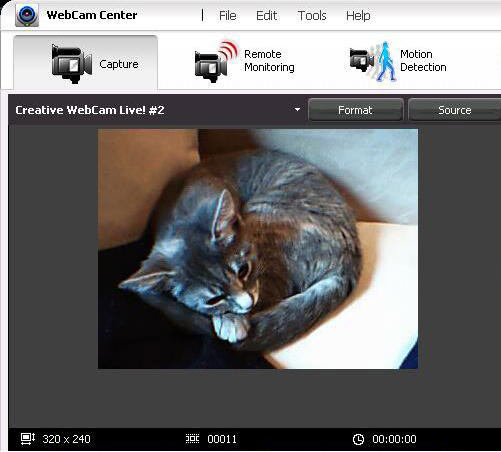
AR book screenshot
I thought I'd share this figure from the augmented reality (AR) book that I'm working on for the pragmatic bookshelf. it's in a section about setting up a webcam for AR - the little critter is a dilute calico field mouse... er, I mean kitten.
![]()
update: sadly, this image was cut :(
update: sadly, this image was cut :(
Friday, September 29, 2006
IE 'command line' searches
dwarning: this trick requires a change to the registry. if you're not familiar with backing up the registry, do not try this!
here are some registry entries that make it easy to search common sources from the Internet Explorer (IE) address bar. it's so fast - no mouse required - that I thought I'd share it.
once you have this running, just type the shortcut and your search word into the 'Address' bar at the top of IE and you're searching. I've added a bunch (e.g. Dictionary.com to the list), but you can add your own - as long as the site's seach has the right URL format. for example, to look up a word, I simply type "d word" into the IE address bar and I'm taken to the dictionary.com search results for "word."
Instructions:
1. save these registry entries in a new text file with the .reg extension
--- cut this line out - begin ---
Windows Registry Editor Version 5.00
[HKEY_CURRENT_USER\Software\Microsoft\Internet Explorer\SearchUrl\g]
@="http://www.google.com/search?q=%s"
[HKEY_CURRENT_USER\Software\Microsoft\Internet Explorer\SearchUrl\q]
@="http://moneycentral.msn.com/scripts/webquote.dll?iPage=qd&Symbol=%s"
[HKEY_CURRENT_USER\Software\Microsoft\Internet Explorer\SearchUrl\mscom]
@="http://search.microsoft.com/search/results.aspx?qu=%s"
[HKEY_CURRENT_USER\Software\Microsoft\Internet Explorer\SearchUrl\msdn]
@="http://search.microsoft.com/search/results.aspx?View=msdn&qu=%s"
[HKEY_CURRENT_USER\Software\Microsoft\Internet Explorer\SearchUrl\d]
@="http://dictionary.reference.com/search?q=%s"
[HKEY_CURRENT_USER\Software\Microsoft\Internet Explorer\SearchUrl\fr]
@="http://www.wordreference.com/fr/Translation.asp?enfr=%s"
[HKEY_CURRENT_USER\Software\Microsoft\Internet Explorer\SearchUrl\en]
@="http://www.wordreference.com/fr/en/translation.asp?fren=%s"
[HKEY_CURRENT_USER\Software\Microsoft\Internet Explorer\SearchUrl\cd]
@="http://www.computer-dictionary-online.org/index.asp?j=%s"
[HKEY_CURRENT_USER\Software\Microsoft\Internet Explorer\SearchUrl\a]
@="http://www.amazon.com/s/ref=nb_ss_b/102-1261000-9844923?url=search-alias%3Dstripbooks&field-keywords=%s"
[HKEY_CURRENT_USER\Software\Microsoft\Internet Explorer\SearchUrl\bt]
@="http://btjunkie.org/search?q=%s"
---- cut this line out --- end ----------
2. double-click your .reg file - you'll get a prompt asking if you're sure then a message saying that changes were made
3. your virus scanner may ask you to approve the changes to the registry
Public Examples:
g 'terms' - Google search
d 'word' - dictionary.com
q 'symbol' - stock quote
ms 'terms' - Microsoft.com search
msdn 'terms' - developer network
en 'french word' - translate to English
fr 'english word' - translate to French
j 'term' - look up in Jargon Dictionary
bt 'term' - search torrents on BTJunkie.com
when I was at MS, I also used to use these Microsoft Internal Examples:
m- MSW search
o- http://office search
p- mysite on http://office
if you don’t like the abbreviations they’re easy to change — just change the key shortcut for the entry.
remember, if you have IE open, ALT+D is the keyboard shortcut to get to the address bar.
note: don't send your version to people as a .reg file. virus scanners will not like it. you can change the extension to .txt.
update: as deighvan commented, "TweakUI (a free microsoft 'powertoy') does this easily." (thanks for the comment BTW) I'm a fan of TweakUI, and the Power Toys in general (especially Command Prompt Anywhere), but it's not needed if all you want is a few searches.

- the TweakUI Power Toy setting IE searches
here are some registry entries that make it easy to search common sources from the Internet Explorer (IE) address bar. it's so fast - no mouse required - that I thought I'd share it.
once you have this running, just type the shortcut and your search word into the 'Address' bar at the top of IE and you're searching. I've added a bunch (e.g. Dictionary.com to the list), but you can add your own - as long as the site's seach has the right URL format. for example, to look up a word, I simply type "d word" into the IE address bar and I'm taken to the dictionary.com search results for "word."
Instructions:
1. save these registry entries in a new text file with the .reg extension
--- cut this line out - begin ---
Windows Registry Editor Version 5.00
[HKEY_CURRENT_USER\Software\Microsoft\Internet Explorer\SearchUrl\g]
@="http://www.google.com/search?q=%s"
[HKEY_CURRENT_USER\Software\Microsoft\Internet Explorer\SearchUrl\q]
@="http://moneycentral.msn.com/scripts/webquote.dll?iPage=qd&Symbol=%s"
[HKEY_CURRENT_USER\Software\Microsoft\Internet Explorer\SearchUrl\mscom]
@="http://search.microsoft.com/search/results.aspx?qu=%s"
[HKEY_CURRENT_USER\Software\Microsoft\Internet Explorer\SearchUrl\msdn]
@="http://search.microsoft.com/search/results.aspx?View=msdn&qu=%s"
[HKEY_CURRENT_USER\Software\Microsoft\Internet Explorer\SearchUrl\d]
@="http://dictionary.reference.com/search?q=%s"
[HKEY_CURRENT_USER\Software\Microsoft\Internet Explorer\SearchUrl\fr]
@="http://www.wordreference.com/fr/Translation.asp?enfr=%s"
[HKEY_CURRENT_USER\Software\Microsoft\Internet Explorer\SearchUrl\en]
@="http://www.wordreference.com/fr/en/translation.asp?fren=%s"
[HKEY_CURRENT_USER\Software\Microsoft\Internet Explorer\SearchUrl\cd]
@="http://www.computer-dictionary-online.org/index.asp?j=%s"
[HKEY_CURRENT_USER\Software\Microsoft\Internet Explorer\SearchUrl\a]
@="http://www.amazon.com/s/ref=nb_ss_b/102-1261000-9844923?url=search-alias%3Dstripbooks&field-keywords=%s"
[HKEY_CURRENT_USER\Software\Microsoft\Internet Explorer\SearchUrl\bt]
@="http://btjunkie.org/search?q=%s"
---- cut this line out --- end ----------
2. double-click your .reg file - you'll get a prompt asking if you're sure then a message saying that changes were made
3. your virus scanner may ask you to approve the changes to the registry
Public Examples:
g 'terms' - Google search
d 'word' - dictionary.com
q 'symbol' - stock quote
ms 'terms' - Microsoft.com search
msdn 'terms' - developer network
en 'french word' - translate to English
fr 'english word' - translate to French
j 'term' - look up in Jargon Dictionary
bt 'term' - search torrents on BTJunkie.com
when I was at MS, I also used to use these Microsoft Internal Examples:
m
o
p
if you don’t like the abbreviations they’re easy to change — just change the key shortcut for the entry.
remember, if you have IE open, ALT+D is the keyboard shortcut to get to the address bar.
note: don't send your version to people as a .reg file. virus scanners will not like it. you can change the extension to .txt.
update: as deighvan commented, "TweakUI (a free microsoft 'powertoy') does this easily." (thanks for the comment BTW) I'm a fan of TweakUI, and the Power Toys in general (especially Command Prompt Anywhere), but it's not needed if all you want is a few searches.
- the TweakUI Power Toy setting IE searches
Thursday, September 28, 2006
WAR halo wars!
the Halo Wars teaser is amazing...
I'm a big RTS fan, so I'm thrilled that Halo seems to be getting the quality attention that it deserves in the genre.

I'm a big RTS fan, so I'm thrilled that Halo seems to be getting the quality attention that it deserves in the genre.
Tuesday, September 05, 2006
the zen of robotron
many gamers have enjoyed the classic arcade staple Robotron 2084. now that robotron is available for the xbox 360, a whole new generation is being introduced to the manic game.
robotron is action packed and often frustrating. in fact, there will be times when the game seems unfair. here are some simple truisms that can help save your sanity during games of robotron.

- live and let live?
10. accept that your eyes will lie
the robotron engine allows more than one enemy object to occupy the same space. this means that just because you destroyed the robotron in front of you, you may not be safe when you run forward.
9. accept what you are given
don't expect to get a certain score for each wave. the hulks will destroy many of the people before you can rescue them.
8. it's not over until it's over
even if you destroy all of the robotrons, you may still be killed. there will be times when you are killed at the same time as you destroy the last enemy on the wave. when you spawn, the level will be complete, but you will have lost a life.
7. have faith in your dodging skills
you cannot predict the path of projectiles. for example, the projectiles fired by the enforcers will curve towards you. you can only do your best.
6. the game will not give you time
the grunts will accelerate over time, so there will be occasions when you are going for that one last human and a grunt will accelerate into you.
5. you will not always get better
you must accept that your score will not improve in a linear, or predictable manner. success in robotron is based on the ability to collect people and some levels offer more people than others. this means that you have to except to have good games and bad - based on how successful you are during the waves with more people.
4. accept your fate
there will be lives where you really don't have a chance. a quark or spheroid may kill you before you have time to move out of the centre of the wave.
3. robotron does not respect your plans
you may think that if you clear all enemies other than one grunt, you will have an easy time rescuing all of the remaining people. this will work most of the time. however, there will also be times when that last grunt walks into an electrode - thereby committing suicide and finishing the wave before you have rescued the people.
2. there may not be a way out
on waves such as wave 10, you will be rushed. you may not have an escape route.
1. love your addiction
you will play again.
robotron is action packed and often frustrating. in fact, there will be times when the game seems unfair. here are some simple truisms that can help save your sanity during games of robotron.
- live and let live?
10. accept that your eyes will lie
the robotron engine allows more than one enemy object to occupy the same space. this means that just because you destroyed the robotron in front of you, you may not be safe when you run forward.
9. accept what you are given
don't expect to get a certain score for each wave. the hulks will destroy many of the people before you can rescue them.
8. it's not over until it's over
even if you destroy all of the robotrons, you may still be killed. there will be times when you are killed at the same time as you destroy the last enemy on the wave. when you spawn, the level will be complete, but you will have lost a life.
7. have faith in your dodging skills
you cannot predict the path of projectiles. for example, the projectiles fired by the enforcers will curve towards you. you can only do your best.
6. the game will not give you time
the grunts will accelerate over time, so there will be occasions when you are going for that one last human and a grunt will accelerate into you.
5. you will not always get better
you must accept that your score will not improve in a linear, or predictable manner. success in robotron is based on the ability to collect people and some levels offer more people than others. this means that you have to except to have good games and bad - based on how successful you are during the waves with more people.
4. accept your fate
there will be lives where you really don't have a chance. a quark or spheroid may kill you before you have time to move out of the centre of the wave.
3. robotron does not respect your plans
you may think that if you clear all enemies other than one grunt, you will have an easy time rescuing all of the remaining people. this will work most of the time. however, there will also be times when that last grunt walks into an electrode - thereby committing suicide and finishing the wave before you have rescued the people.
2. there may not be a way out
on waves such as wave 10, you will be rushed. you may not have an escape route.
1. love your addiction
you will play again.
Sunday, September 03, 2006
XNA spacewar
I recently posted a message about the exciting XNA Game Studio Express release. this is a fantastic move by microsoft that will eventually allow anyone to develop games for the Xbox 360.
as microsoft wrote to XNA Beta participants, "The Microsoft XNA team is pleased to inform you that the Microsoft XNA Game Studio Express (Beta) is now available at the Microsoft Download Center from the following location: http://msdn.com/directx/XNA/gse."
after you get GSE, you can build the spacewar project and play the game.

- the spacewar title screen

- old school spacewar

- fancy
as for playing spacewar without a keybaoard, a game developer friend of mine who teaches at BCIT, sent me this advice:
it is possible to get Spacewar working with the keyboard by uncommenting the #declare on the first line in gamepadhelper.cs. to make it work with my NVidia card I had to add the line
graphics.AllowMultiSampling = false; after the graphics component declaration on the line:
Microsoft.Xna.Framework.Components.GraphicsComponent();
for more XNA samples, visit xnaspot.com.
as microsoft wrote to XNA Beta participants, "The Microsoft XNA team is pleased to inform you that the Microsoft XNA Game Studio Express (Beta) is now available at the Microsoft Download Center from the following location: http://msdn.com/directx/XNA/gse."
after you get GSE, you can build the spacewar project and play the game.
- the spacewar title screen
- old school spacewar
- fancy
as for playing spacewar without a keybaoard, a game developer friend of mine who teaches at BCIT, sent me this advice:
it is possible to get Spacewar working with the keyboard by uncommenting the #declare on the first line in gamepadhelper.cs. to make it work with my NVidia card I had to add the line
graphics.AllowMultiSampling = false; after the graphics component declaration on the line:
Microsoft.Xna.Framework.Components.GraphicsComponent();
for more XNA samples, visit xnaspot.com.
Thursday, August 31, 2006
Xbox 360 DVR?
it's so simple. as a consumer, it's so simple that it's annoying. microsoft's xbox 360 could be the grandmaster of the living room. just one thing - offer a DVR peripheral.
no one will question that the Xbox 360 is a good video game console. even the hardcore sony playstation fans - who are still waiting anxiously to shell out $600 US for a PS3 - will tell you that the Xbox 360 is a good (maybe they would say "decent") video game console. however, try going to buy pretty much any other appliance for your living room and see how often the Xbox 360 comes up in conversation. sure, the guy trying to up sell the average joe to an HDTV may say something like "and if you're interested in video games for your kids, then this will work great with the Xbox."
but the Xbox could do so much more. oh wait, it can do so much more. microsoft took a hint from the Xbox modding community when they added media center capabilities right into the Xbox 360. the Xbox could easily run the applications, but users of the original microsoft console were forced to add microchips that skirted the grey areas of law books in order to get most media center features.
but that's not the case with the 360. right out of the box, the new Xbox can show pictures, videos and play mp3s - it can even play them right off your computer or mp3 player. as they say in the red vs. blue episode that ships preloaded on the Xbox 360 hard drive "it's a total entertainment package." well, not quite.
the Xbox 360 is missing the one killer feature that would enable it to cut a wide swath through the landscape of living room appliances: it's missing a digital video recorder (DVR).
without a DVR, the Xbox 360 is what it is - a gaming console that gets talked about whenever gaming consoles come up in conversation. with a DVR, the Xbox 360 is a monster; it will start to be mentioned along side traditional adult home appliances.
whether you're looking for a VCR, Tivo, or even a stereo, the DVR-equipped Xbox 360 would be an option that the average consumer should seriously consider. it's not as expensive or complicated as a traditional computer (read: microsoft media center edition) and hey... it's also a video game console.
no one will question that the Xbox 360 is a good video game console. even the hardcore sony playstation fans - who are still waiting anxiously to shell out $600 US for a PS3 - will tell you that the Xbox 360 is a good (maybe they would say "decent") video game console. however, try going to buy pretty much any other appliance for your living room and see how often the Xbox 360 comes up in conversation. sure, the guy trying to up sell the average joe to an HDTV may say something like "and if you're interested in video games for your kids, then this will work great with the Xbox."
but the Xbox could do so much more. oh wait, it can do so much more. microsoft took a hint from the Xbox modding community when they added media center capabilities right into the Xbox 360. the Xbox could easily run the applications, but users of the original microsoft console were forced to add microchips that skirted the grey areas of law books in order to get most media center features.
but that's not the case with the 360. right out of the box, the new Xbox can show pictures, videos and play mp3s - it can even play them right off your computer or mp3 player. as they say in the red vs. blue episode that ships preloaded on the Xbox 360 hard drive "it's a total entertainment package." well, not quite.
the Xbox 360 is missing the one killer feature that would enable it to cut a wide swath through the landscape of living room appliances: it's missing a digital video recorder (DVR).
without a DVR, the Xbox 360 is what it is - a gaming console that gets talked about whenever gaming consoles come up in conversation. with a DVR, the Xbox 360 is a monster; it will start to be mentioned along side traditional adult home appliances.
whether you're looking for a VCR, Tivo, or even a stereo, the DVR-equipped Xbox 360 would be an option that the average consumer should seriously consider. it's not as expensive or complicated as a traditional computer (read: microsoft media center edition) and hey... it's also a video game console.
Wednesday, August 30, 2006
XNA Game Studio Express
the beta download for XNA game studio express is out!
this is the software designed for the Xbox 360 creator's club
update: xnaspot.com is a great place to start with XNA GSE.
"XNA Game Studio Express enables individuals and small teams to more easily create video games using new, optimized cross-platform gaming libraries for Windows and Xbox 360. This beta release targets the development of games for Windows. The final version of XNA Game Studio Express will be available this holiday season and will enable development of games which target Windows and upon purchase of a XNA Creators Club subscription, the Xbox 360 as well."
this is the software designed for the Xbox 360 creator's club
update: xnaspot.com is a great place to start with XNA GSE.
"XNA Game Studio Express enables individuals and small teams to more easily create video games using new, optimized cross-platform gaming libraries for Windows and Xbox 360. This beta release targets the development of games for Windows. The final version of XNA Game Studio Express will be available this holiday season and will enable development of games which target Windows and upon purchase of a XNA Creators Club subscription, the Xbox 360 as well."
Tuesday, August 29, 2006
robotron 2084 strategy
I've been using my genetically garnered superhuman powers to play the xbox 360 version of robotron 2084 for a couple of days. one of my buddies at microsoft brought his arcade version to work, so I had the benefit of playing that for many relaxing hours. the xbox 360 version is better, IMHO, to the xbox version. I found that one difficult to play because the controls weren't precise - as you fans know, robotron is all about precision movement.
while I've moved up a bit in 360 standings, I haven't achieved anywhere near the scores that I was getting on the arcade machine. partly to remind myself, I thought I'd create this post and share my thoughts about the game's strategy. I'll add some of this to the wikipedia article as well - although, I guess it's original work and therefore shouldn't really be in there.

humans - humans are the key to the game. every 25,000 points, you receive a bonus life. humans are worth the most points, so they will largely be responsible for your bonus lives. shooting a grunt will gain you 100 points, but collecting a human can gain you 5000 points.
but not only do you need to collect humans, you need to collect them in bulk. one human will get you 1000 points, but if you get another before you die, you will receive 2000 points. this is true up to 5000 points. once you've worked up to 5000, every human you get on the level is worth 5000 points. when the level ends, you go back to 1000 for the first human.
the fact that humans are worth so much - and worth so much more in bulk - is the most important strategy point in robotron. successful robotron games are a balance between aggressively collecting humans and knowing when to protect yourself. humans are important but no one human is worth dying for.
grunts - these are the red robotrons that make up the bulk of the robotron force. they don't fire projectiles, so it's tempting to try and dodge them to get to people. for example, on the first wave, you should dodge the grunts and pick up the people. however, as time goes by on each level, the grunts accelerate and they will quickly exceed your speed.
electrodes - electrodes are stationary and don't fire projectiles. you may think that this means that you can simply ignore them. I recommend that you fire at them whenever you aren't firing at something else. while they are stationary, they restrict your movement and therefore should be eliminated when possible.
hulks - hulks are big green robotrons that destroy people. you cannot kill hulks, but you can move them ever so slightly by shooting them.
spheroids - spheroids are arguably the most dangerous enemy in the game. they appear on many waves and they spawn enforcers. the key to most levels is destroying the spheroids before they spawn too many enforcers. enforcers fire quick rounds and they fire many rounds.
enforcers - don't mess with enforcers, take them out ASAP. note that enforcers will sometimes camp in a corner and fire wildly at you, when this happens, you should forget everything else and destroy the enforcer.
quarks - quarks are similar to spheroids, but they aren't as common and they spawn tanks instead of enforcers. you will first see them on wave seven. just like spheroids, they represent an impending threat and you should destroy them first.
tanks - tanks will stop shooting if 20 shots are fired currently on the game field and no tank is destroyed. if a tank is destroyed, the counter will reset to zero.
brains - brains turn people into progs and they fire snake-like projectiles. some people find the snake rounds to be the most dangerous projectiles in the game. this is probably true, but I'll still target a sphereoid before a brain. brains are dangerous, but they don't spawn many new attackers - each with their own projectiles.
there are only a few types of waves that rotate around. obviously, the goal is to collect enough people that you are gaining more lives than you are losing through each cycle of waves.
wave 1 - easy... take your time and get the people.
wave 2 - just shoot the spheroid and you'll have an easy time.
wave 3 - get out of the middle and use any extra rounds to shoot at the spheroids.
wave 4 - pretty much the same as wave 3.
wave 5 - this is the key wave. you want to get lots of people (the mother) on this level. try to take out the sphereoids and the brains while picking up the people and avoiding the grunts. if you get killed, you want to have just grunts left with the remaining people. there are so many people available in this wave that it will make or break your game as you cycle through the waves.
there is a subtlety on wave 5 that can make a huge difference in your game. when everything appears, there is one boy human and numerous mother humans. the brains will not turn the mothers into progs until the boy human has either died, or has been rescued. so, the best plan is to prevent the brains from getting the boy without picking him up; this will allow you to pick up more mothers because the brains won't be converting them to progs. note that this will only work for your first life.
wave 6 - another level where you just want to get to the side right away and target the spheroids.
wave 7 - this level is fun :P the quarks will spawn tanks if you don't get rid of them quickly, so forget about everything else - just worry about shooting the quarks. if you happen to get some people, that's great, but don't let it distract you from getting those quarks. once the tanks have spawned, they are difficult to deal with. note that the worst place to be (as with many levels) is in a corner. by strafing up and down along a side, you can best deal with the tank projectiles.
wave 8 - another wave where you must get the sphereoids.
wave 9 - the infallible logic of the grunts dictates that they rush you like the last beer at an open bar. get out of the centre ASAP and then rotate around the edge while you fire into the mass of grunts and any enforcers. the best way to do this is to quickly identify the area of the screen with the least objects (you should make this decision before you spawn) and fight your way through that area. don't worry about anything but survival. if you don't get out of the center with your first attempt, the grunts accelerate and this level gets very difficult.
wave 10 - this one is crowded, but part of that crowd is vital human beings. use your weapon to clear a path as you collect as many as possible.
notes:
- "bullets follow walls" - US Army Ranger talking about the incident that inspired Black Hawk Down. on many levels, it is a good idea to get to the edge of the screen quickly. however, once you have done this, it is a good idea to avoid being right against the side. many rounds will follow the edges of the screen and hit you. definitely stay out of the corners.
- you can move faster going diagonally than you can horizontally or vertically.
- many lives are lost because people try to move before the full screen has been drawn. often a little move will get you fragged because there was a quark or some other obstacle that hadn't yet fully appeared.
while I've moved up a bit in 360 standings, I haven't achieved anywhere near the scores that I was getting on the arcade machine. partly to remind myself, I thought I'd create this post and share my thoughts about the game's strategy. I'll add some of this to the wikipedia article as well - although, I guess it's original work and therefore shouldn't really be in there.
humans - humans are the key to the game. every 25,000 points, you receive a bonus life. humans are worth the most points, so they will largely be responsible for your bonus lives. shooting a grunt will gain you 100 points, but collecting a human can gain you 5000 points.
but not only do you need to collect humans, you need to collect them in bulk. one human will get you 1000 points, but if you get another before you die, you will receive 2000 points. this is true up to 5000 points. once you've worked up to 5000, every human you get on the level is worth 5000 points. when the level ends, you go back to 1000 for the first human.
the fact that humans are worth so much - and worth so much more in bulk - is the most important strategy point in robotron. successful robotron games are a balance between aggressively collecting humans and knowing when to protect yourself. humans are important but no one human is worth dying for.
grunts - these are the red robotrons that make up the bulk of the robotron force. they don't fire projectiles, so it's tempting to try and dodge them to get to people. for example, on the first wave, you should dodge the grunts and pick up the people. however, as time goes by on each level, the grunts accelerate and they will quickly exceed your speed.
electrodes - electrodes are stationary and don't fire projectiles. you may think that this means that you can simply ignore them. I recommend that you fire at them whenever you aren't firing at something else. while they are stationary, they restrict your movement and therefore should be eliminated when possible.
hulks - hulks are big green robotrons that destroy people. you cannot kill hulks, but you can move them ever so slightly by shooting them.
spheroids - spheroids are arguably the most dangerous enemy in the game. they appear on many waves and they spawn enforcers. the key to most levels is destroying the spheroids before they spawn too many enforcers. enforcers fire quick rounds and they fire many rounds.
enforcers - don't mess with enforcers, take them out ASAP. note that enforcers will sometimes camp in a corner and fire wildly at you, when this happens, you should forget everything else and destroy the enforcer.
quarks - quarks are similar to spheroids, but they aren't as common and they spawn tanks instead of enforcers. you will first see them on wave seven. just like spheroids, they represent an impending threat and you should destroy them first.
tanks - tanks will stop shooting if 20 shots are fired currently on the game field and no tank is destroyed. if a tank is destroyed, the counter will reset to zero.
brains - brains turn people into progs and they fire snake-like projectiles. some people find the snake rounds to be the most dangerous projectiles in the game. this is probably true, but I'll still target a sphereoid before a brain. brains are dangerous, but they don't spawn many new attackers - each with their own projectiles.
there are only a few types of waves that rotate around. obviously, the goal is to collect enough people that you are gaining more lives than you are losing through each cycle of waves.
wave 1 - easy... take your time and get the people.
wave 2 - just shoot the spheroid and you'll have an easy time.
wave 3 - get out of the middle and use any extra rounds to shoot at the spheroids.
wave 4 - pretty much the same as wave 3.
wave 5 - this is the key wave. you want to get lots of people (the mother) on this level. try to take out the sphereoids and the brains while picking up the people and avoiding the grunts. if you get killed, you want to have just grunts left with the remaining people. there are so many people available in this wave that it will make or break your game as you cycle through the waves.
there is a subtlety on wave 5 that can make a huge difference in your game. when everything appears, there is one boy human and numerous mother humans. the brains will not turn the mothers into progs until the boy human has either died, or has been rescued. so, the best plan is to prevent the brains from getting the boy without picking him up; this will allow you to pick up more mothers because the brains won't be converting them to progs. note that this will only work for your first life.
wave 6 - another level where you just want to get to the side right away and target the spheroids.
wave 7 - this level is fun :P the quarks will spawn tanks if you don't get rid of them quickly, so forget about everything else - just worry about shooting the quarks. if you happen to get some people, that's great, but don't let it distract you from getting those quarks. once the tanks have spawned, they are difficult to deal with. note that the worst place to be (as with many levels) is in a corner. by strafing up and down along a side, you can best deal with the tank projectiles.
wave 8 - another wave where you must get the sphereoids.
wave 9 - the infallible logic of the grunts dictates that they rush you like the last beer at an open bar. get out of the centre ASAP and then rotate around the edge while you fire into the mass of grunts and any enforcers. the best way to do this is to quickly identify the area of the screen with the least objects (you should make this decision before you spawn) and fight your way through that area. don't worry about anything but survival. if you don't get out of the center with your first attempt, the grunts accelerate and this level gets very difficult.
wave 10 - this one is crowded, but part of that crowd is vital human beings. use your weapon to clear a path as you collect as many as possible.
notes:
- "bullets follow walls" - US Army Ranger talking about the incident that inspired Black Hawk Down. on many levels, it is a good idea to get to the edge of the screen quickly. however, once you have done this, it is a good idea to avoid being right against the side. many rounds will follow the edges of the screen and hit you. definitely stay out of the corners.
- you can move faster going diagonally than you can horizontally or vertically.
- many lives are lost because people try to move before the full screen has been drawn. often a little move will get you fragged because there was a quark or some other obstacle that hadn't yet fully appeared.
Friday, August 25, 2006
Calling a C++ lib from C#
a few months back, I found myself having to use a C++ .lib file from C#. it took a bit of looking around to figure it out, so I figured that I'd publish my cheat sheet here. I posted a number of questions about this subject to the C# interop newsgroup and found that the MVPs were excellent. if you search, you'll find these posts and be able to get better code from there - I've tried to get the examples in this post right, but the line breaks may cause confusion.
BTW - I grabbed this stuff from all over. I've tried to credit the sources, but I may have missed some. I've created a separate post about handling the unsigned char* data type from a C .lib file.
first of all, this is an awkward thing to do. if you have the choice, get a DLL instead of LIB.
1. create a C++ Win32 DLL Project from VS.Net
from: http://www.codersource.net/win32_dlls.html
Creating a Win32 dll:
- Open the New Project Wizard.
- Select Win32 Dynamic-Link Library.
- Name the project "DemoDll."
- In the next screen, select "A dll that exports some symbols" radio button.
- Click Finish.
The dll project will be created.
Now open the file DemoDll.cpp. You can see a function definition for "DEMODLL_API int fnDemoDll(void)".
Replace this function with the following code:
DEMODLL_API int fnDemoDll(int a,int b){return a+b;}
Open the DemoDll.h file and insert the declaration "DEMODLL_API int fnDemoDll(int a,int b)"
Create a new file named "DemoDll.Def" and add the following code in that file.
; DemoDll.def : Declares the module parameters for the DLL. LIBRARY "DemoDll"
DESCRIPTION 'DemoDll Windows Dynamic Link Library'
EXPORTS
; Explicit exports can go here
fnDemoDll PRIVATE
Remember to add this DemoDll.def file to the project.
Build the project. The DLL will be created.
Using the DLL
This part explains only the dynamic loading using loadlibrary. The following sample code has to be used in a new console application.
#include <windows.h>
#include <iostream.h>
typedef int (*ADDITIONFUNCTION)(int a,int b);
ADDITIONFUNCTION addFunction;
void main()
{
HINSTANCE hDll;
hDll = LoadLibrary("Pathofdll");
if(hDll == NULL)
{
cout<<"Error loading win32 dll"<<endl;
return ;
}
addFunction = (ADDITIONFUNCTION)GetProcAddress(hDll,"fnDemoDll");
int result;
if(addFunction != NULL)
cout<<(addFunction)(10,11)<<endl; else { cout<<"error:"<<GetLastError()<<endl; } } 2. test this DLL from a C# project by calling the example method. copy the file into the C# project bin/debug folder - you can't add a reference. http://www.codersource.net/win32_dlls.html
Now open a blank solution, and add a new C++ MFC Class Library Project. Let's call it MyUnmanagedDotNetVCWrapper. We will implemenet a wrapper for MyUnmanagedVC6Class:
#include "MyUnmanagedVC6Header.h"
class __declspec(dllexport) MyUnmanagedDotNetClass
{
private:
MyUnmanagedVC6Class* _class;
public:
MyUnmanagedDotNetClass(int x)
{
_class = new MyUnmanagedVC6Class(x);
}
void DoSomething(int x,double d)
{
_class->DoSomething(x,d);
}
}
This should be located in MyUnmanagedDotNetHeader.h.
Note: If you have all the sources for the original DLL you can open it in VisualStudio .NET, and it will convert it for you into a DLL you can use for the later step. This can save you the time for the first wrapper.
4. add methods to your new DLL that wrap the method in the original lib that you're trying to access from C#. newsgroup post about this topic.
Random Notes:
EXPORTS
; Explicit exports can go here
MyMMCPropertyChangeNotify @1
MyMMCFreeNotifyHandle @2
MyMMCPropPageCallback @3
after this I added the following line to mymmc.h #pragma comment(lib, "mmc.lib")
I changed one project setting and it compiled. In the General setting: Use MFC in a shared DLL.
reference this page if you have questions about marshalling data types:
http://msdn.microsoft.com/msdnmag/issues/02/08/CQA/
Example of syntax for calling the functions
// Cawood: import an ARTag sample function
[DllImport("ARTagWin32DLL.dll", EntryPoint="artag_create_marker_wrapped")]
//public static extern int artag_create_marker_wrapped(int artag_id, int scale, unsigned char *image);
public static extern int artag_create_marker_wrapped(int artag_id, int scale, [MarshalAs(UnmanagedType.LPStr)] StringBuilder image)
BTW - I grabbed this stuff from all over. I've tried to credit the sources, but I may have missed some. I've created a separate post about handling the unsigned char* data type from a C .lib file.
first of all, this is an awkward thing to do. if you have the choice, get a DLL instead of LIB.
1. create a C++ Win32 DLL Project from VS.Net
from: http://www.codersource.net/win32_dlls.html
Creating a Win32 dll:
- Open the New Project Wizard.
- Select Win32 Dynamic-Link Library.
- Name the project "DemoDll."
- In the next screen, select "A dll that exports some symbols" radio button.
- Click Finish.
The dll project will be created.
Now open the file DemoDll.cpp. You can see a function definition for "DEMODLL_API int fnDemoDll(void)".
Replace this function with the following code:
DEMODLL_API int fnDemoDll(int a,int b){return a+b;}
Open the DemoDll.h file and insert the declaration "DEMODLL_API int fnDemoDll(int a,int b)"
Create a new file named "DemoDll.Def" and add the following code in that file.
; DemoDll.def : Declares the module parameters for the DLL. LIBRARY "DemoDll"
DESCRIPTION 'DemoDll Windows Dynamic Link Library'
EXPORTS
; Explicit exports can go here
fnDemoDll PRIVATE
Remember to add this DemoDll.def file to the project.
Build the project. The DLL will be created.
Using the DLL
This part explains only the dynamic loading using loadlibrary. The following sample code has to be used in a new console application.
#include <windows.h>
#include <iostream.h>
typedef int (*ADDITIONFUNCTION)(int a,int b);
ADDITIONFUNCTION addFunction;
void main()
{
HINSTANCE hDll;
hDll = LoadLibrary("Pathofdll");
if(hDll == NULL)
{
cout<<"Error loading win32 dll"<<endl;
return ;
}
addFunction = (ADDITIONFUNCTION)GetProcAddress(hDll,"fnDemoDll");
int result;
if(addFunction != NULL)
cout<<(addFunction)(10,11)<<endl; else { cout<<"error:"<<GetLastError()<<endl; } } 2. test this DLL from a C# project by calling the example method. copy the file into the C# project bin/debug folder - you can't add a reference. http://www.codersource.net/win32_dlls.html
Now open a blank solution, and add a new C++ MFC Class Library Project. Let's call it MyUnmanagedDotNetVCWrapper. We will implemenet a wrapper for MyUnmanagedVC6Class:
#include "MyUnmanagedVC6Header.h"
class __declspec(dllexport) MyUnmanagedDotNetClass
{
private:
MyUnmanagedVC6Class* _class;
public:
MyUnmanagedDotNetClass(int x)
{
_class = new MyUnmanagedVC6Class(x);
}
void DoSomething(int x,double d)
{
_class->DoSomething(x,d);
}
}
This should be located in MyUnmanagedDotNetHeader.h.
Note: If you have all the sources for the original DLL you can open it in VisualStudio .NET, and it will convert it for you into a DLL you can use for the later step. This can save you the time for the first wrapper.
4. add methods to your new DLL that wrap the method in the original lib that you're trying to access from C#. newsgroup post about this topic.
Random Notes:
EXPORTS
; Explicit exports can go here
MyMMCPropertyChangeNotify @1
MyMMCFreeNotifyHandle @2
MyMMCPropPageCallback @3
after this I added the following line to mymmc.h #pragma comment(lib, "mmc.lib")
I changed one project setting and it compiled. In the General setting: Use MFC in a shared DLL.
reference this page if you have questions about marshalling data types:
http://msdn.microsoft.com/msdnmag/issues/02/08/CQA/
Example of syntax for calling the functions
// Cawood: import an ARTag sample function
[DllImport("ARTagWin32DLL.dll", EntryPoint="artag_create_marker_wrapped")]
//public static extern int artag_create_marker_wrapped(int artag_id, int scale, unsigned char *image);
public static extern int artag_create_marker_wrapped(int artag_id, int scale, [MarshalAs(UnmanagedType.LPStr)] StringBuilder image)
Wednesday, August 23, 2006
McAfee virus view
this cool "Virus View" is a feature of the McAfee SecurityCenter.

- the 'Infected Computers' view option
it's an interesting way to look at the world. personally, I'd like to see the numerical values be configurable. I'd like to know how 'hot' those red (1000+) areas really are.
- the 'Infected Computers' view option
it's an interesting way to look at the world. personally, I'd like to see the numerical values be configurable. I'd like to know how 'hot' those red (1000+) areas really are.
Tuesday, August 22, 2006
xbox 360 modchip
well it was only a matter of time...
a modchip for the xbox 360 has been released. the NME-360 will start shipping in about a week. this chip is inserted between the DVD drive and the xbox console so that games can be copied and then run without the DVD.
the makers say that the chip is meant for 'backups,' which is a legal loophole to enabling copying of software programs. but it might be enough to keep 'team underdog' out of court. the only makers of modchips who have been prosecuted are those who were caught distributing pirated games.
although this is a fraction of the functionality that was available with the original xbox modchips, one has to have faith that there are more chips on the horizon.
a modchip for the xbox 360 has been released. the NME-360 will start shipping in about a week. this chip is inserted between the DVD drive and the xbox console so that games can be copied and then run without the DVD.
the makers say that the chip is meant for 'backups,' which is a legal loophole to enabling copying of software programs. but it might be enough to keep 'team underdog' out of court. the only makers of modchips who have been prosecuted are those who were caught distributing pirated games.
although this is a fraction of the functionality that was available with the original xbox modchips, one has to have faith that there are more chips on the horizon.
Saturday, August 19, 2006
xbox creators club
I was excited about the recent xbox 360 creators club announcement.
the idea is that xbox 360 users will pay an annual fee to get access to the option of developing xbox games on their PC - using the XNA platfrom - and then uploading them to an xbox 360 community space. MS says that the development tools will work with the free VS Express packages, so it may be cheap for people to get onboard.
autodesk is also involved, so maybe gmax will make a triumphant return. these days, modders basically have to rip-off 3ds if they want to create their own game elements for games like HaloCE.
it sounds like a fantastic community program, but some questions remain unanswered. will the creators' club provide the average user access to the same potential game quality as the companies that have access to the Xbox dev kits or will it be a digital kids' table? also, what are they going to do when people knock off space invaders, gauntlet or bejeweled?
update: the XNA team blog answered some of my questions: "The program we are building, however, is more than a beginner tool. You will be able to write full-on games with shaders and high-end graphics if you want to go deeper. For example, we have an excellent relationship with Garage Games. They’ve been creating a managed code version of their tools and engines that work the XNA technologies. They’ve built a souped up version of Marble-Blast entirely in C# that is just rocking."

- XNA game builder screen
the idea is that xbox 360 users will pay an annual fee to get access to the option of developing xbox games on their PC - using the XNA platfrom - and then uploading them to an xbox 360 community space. MS says that the development tools will work with the free VS Express packages, so it may be cheap for people to get onboard.
autodesk is also involved, so maybe gmax will make a triumphant return. these days, modders basically have to rip-off 3ds if they want to create their own game elements for games like HaloCE.
it sounds like a fantastic community program, but some questions remain unanswered. will the creators' club provide the average user access to the same potential game quality as the companies that have access to the Xbox dev kits or will it be a digital kids' table? also, what are they going to do when people knock off space invaders, gauntlet or bejeweled?
update: the XNA team blog answered some of my questions: "The program we are building, however, is more than a beginner tool. You will be able to write full-on games with shaders and high-end graphics if you want to go deeper. For example, we have an excellent relationship with Garage Games. They’ve been creating a managed code version of their tools and engines that work the XNA technologies. They’ve built a souped up version of Marble-Blast entirely in C# that is just rocking."
- XNA game builder screen
Friday, August 18, 2006
faster right-click menus
sometimes you will find that a software package installs options into the 'context menu' that you do not need. this is the menu that appears when you right-click on something in windows (e.g. a file context menu will give you options such as cut, copy, etc). the problem is that all context menu options add extra work for your machine. some go so far as to noticeably slow down performance.
I ran into this issue with an image management application that adds a preview of the image to the right-click menu. in other words, every time I right-clicked on an image, I had to wait for my computer to create a thumbnail of the image and draw a rather large context menu. this wasn't acceptable to me, but I also didn't want to remove the image application outright.
if you are lucky, the people who coded the offending software will provide you with a configuration option to disable individual context menu options - not to mention that they should also give you the option to forego these time wasting add-ons when you install their software. however, this is not always the case. the solution is the Shell Extensions Manager or 'ShellExView.' using ShellExView, you can see all of the context menu options installed on your machine and you can specify which ones you want to enable or disable.
while ShellExView is a great app, sadly, it isn't a panacea. once you have looked at what is installed, you might find that the software makers of your particular offending program have not separated the options that they have added to your context menu. in other words, to disable the ones that you don't want, you may find that you have to turn off all the options for that app. this is certainly frustrating, but I have found that ShellExView is so easy to use that there are cases where I'm willing to turn off all the menu items until I want to use one of them. obviously, this is only a reasonable option if you aren't using the context menu feature all that frequently.
if you are having performance issues with your context menus, I recommend that you grab the ShellExView app and start turning off all the extra digital lint that lazy coders have forced upon you.
I ran into this issue with an image management application that adds a preview of the image to the right-click menu. in other words, every time I right-clicked on an image, I had to wait for my computer to create a thumbnail of the image and draw a rather large context menu. this wasn't acceptable to me, but I also didn't want to remove the image application outright.
if you are lucky, the people who coded the offending software will provide you with a configuration option to disable individual context menu options - not to mention that they should also give you the option to forego these time wasting add-ons when you install their software. however, this is not always the case. the solution is the Shell Extensions Manager or 'ShellExView.' using ShellExView, you can see all of the context menu options installed on your machine and you can specify which ones you want to enable or disable.
while ShellExView is a great app, sadly, it isn't a panacea. once you have looked at what is installed, you might find that the software makers of your particular offending program have not separated the options that they have added to your context menu. in other words, to disable the ones that you don't want, you may find that you have to turn off all the options for that app. this is certainly frustrating, but I have found that ShellExView is so easy to use that there are cases where I'm willing to turn off all the menu items until I want to use one of them. obviously, this is only a reasonable option if you aren't using the context menu feature all that frequently.
if you are having performance issues with your context menus, I recommend that you grab the ShellExView app and start turning off all the extra digital lint that lazy coders have forced upon you.
Tuesday, August 15, 2006
dell batteries are hot
the other day I picked up my dell latitude laptop and I thought to myself, "wow, there's a lot of heat coming off this thing."
now dell has announced that 4.1 million batteries are being recalled. it is the largest consumer electronics recall ever.
I bought my batteries during the time period covered by the recall... so it wasn't just my imagination.
now dell has announced that 4.1 million batteries are being recalled. it is the largest consumer electronics recall ever.
I bought my batteries during the time period covered by the recall... so it wasn't just my imagination.
Saturday, August 05, 2006
my iPod thinks it's japanese
so a few days ago, I blogged about apple refusing to pay out on my iPod claim.
today my iPod mysteriously decided that it's Japanese. all of the menus are in Japanese characters.

coincidence?
:P
BTW - this problem occurs frequently enough that apple provides instructions for setting the iPod language that don't require that the user can read the menu items.
today my iPod mysteriously decided that it's Japanese. all of the menus are in Japanese characters.
coincidence?
:P
BTW - this problem occurs frequently enough that apple provides instructions for setting the iPod language that don't require that the user can read the menu items.
Saturday, July 15, 2006
apple reneges on lawsuit settlement
I recently received a letter from apple regarding my claim for the early iPod battery issue settlement.
in case, you're not aware, many iPod suffer from issues which have resulted in class action suits against apple. this is one of the reasons that I'm not as enamoured with the iPod as a lot of people.
rather than providing me with the $50 - in apple store credit - that they owe me, they sent a short note to say that I am not eligible for the settlement because I live in canada. that might be one of their loopholes to get out of paying people, but in my case, it's a ludicrous attempt to avoid responsibility.
why? well, it's simple. I bought the iPod in washington state while I was a resident of the US. in fact, I was probably still living there when the class action suit was tabled.
I think the appropriate response will be for me to send them a letter which reads, "nice try."
in case, you're not aware, many iPod suffer from issues which have resulted in class action suits against apple. this is one of the reasons that I'm not as enamoured with the iPod as a lot of people.
rather than providing me with the $50 - in apple store credit - that they owe me, they sent a short note to say that I am not eligible for the settlement because I live in canada. that might be one of their loopholes to get out of paying people, but in my case, it's a ludicrous attempt to avoid responsibility.
why? well, it's simple. I bought the iPod in washington state while I was a resident of the US. in fact, I was probably still living there when the class action suit was tabled.
I think the appropriate response will be for me to send them a letter which reads, "nice try."
Monday, July 10, 2006
purge your temp files
looking to clean up your virtual desk a bit? use this little app to remove temporary files from your machine.
when I ran it, I was amazed to discover that it deleted over 16,500 files - saving me almost 1.5GB of space on my drive.
it's called the Temp Scrubber. it was written by Greg Chapman and it's a macro embedded in a Word document template. after you download it, just extract it and double-click it. based on your macro security settings, you'll then see one of a few options. if you have the choice to 'enable macros' then do so - this will run the app. if you don't have this option, click cancel and then, from Word, choose Tools -> Options -> Macros -> Security and change your security level to medium. after you have changed your setting, you'll be able to run the macros. you can obviously change your setting back after you are done.
unfortunately, the macro is locked, so I can't examine the code directly. based on the output from the app, I'm guessing that it checks the directories designated as temp in the NT environmental settings and then deletes files from those directories that are not currently being used. for example, the app did not delete all of my temporary internet files.
note: it may take a while to run the first time and it's CPU intensive.
when I ran it, I was amazed to discover that it deleted over 16,500 files - saving me almost 1.5GB of space on my drive.
it's called the Temp Scrubber. it was written by Greg Chapman and it's a macro embedded in a Word document template. after you download it, just extract it and double-click it. based on your macro security settings, you'll then see one of a few options. if you have the choice to 'enable macros' then do so - this will run the app. if you don't have this option, click cancel and then, from Word, choose Tools -> Options -> Macros -> Security and change your security level to medium. after you have changed your setting, you'll be able to run the macros. you can obviously change your setting back after you are done.
unfortunately, the macro is locked, so I can't examine the code directly. based on the output from the app, I'm guessing that it checks the directories designated as temp in the NT environmental settings and then deletes files from those directories that are not currently being used. for example, the app did not delete all of my temporary internet files.
note: it may take a while to run the first time and it's CPU intensive.
Subscribe to:
Posts (Atom)